Security Camera Storage Calculator
Accurately estimate NVR and DVR hard drive requirements, recording duration, and network bandwidth consumption for any surveillance system. Perfect for security installers, IT professionals, and business owners planning video retention.
Camera & Recording Configuration
Storage & Retention Settings
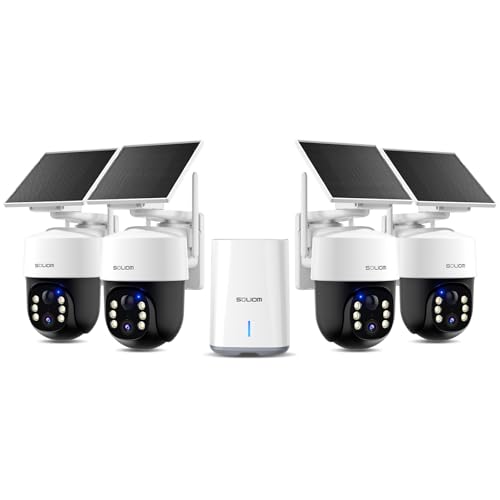
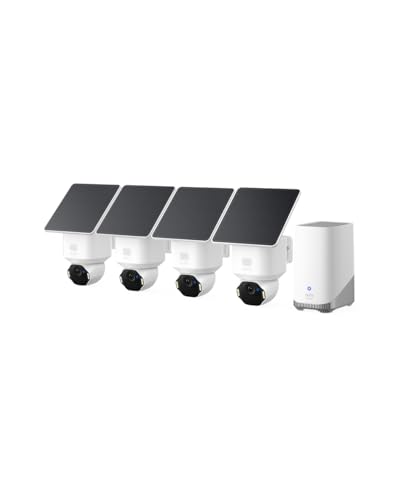
List of the Best Security Camera:




Complete Security Camera Storage & Capacity Planning Guide
Designing a professional video surveillance system requires precise storage calculations. Underestimating capacity leads to lost evidence and shortened retention periods, while over-provisioning wastes budget on unnecessary hard drives. This comprehensive guide covers bitrate calculations, codec efficiency, RAID configurations, motion impact, and long-term archiving strategies for NVRs, DVRs, and cloud-based systems.
What Determines Security Camera Storage Requirements?
Storage consumption depends on five primary factors: bitrate (data rate per second), number of cameras, resolution, compression efficiency, and recording duration. The bitrate is the most critical variable—higher bitrates preserve detail during motion but exponentially increase storage needs. Resolution affects bitrate non-linearly: a 4K camera (8 MP) typically requires 2-3× more storage than a 1080p camera, not 4×, because modern codecs exploit spatial redundancy. Frame rate (FPS) directly scales storage: 30 FPS consumes double the space of 15 FPS, though many security scenarios perform well at 10-15 FPS.
| Resolution | H.265 Bitrate Range | H.264 Bitrate Range | Daily Storage (1 cam, 24/7) |
|---|---|---|---|
| 1080p (2 MP) | 1-3 Mbps | 2-5 Mbps | 10-40 GB |
| 4 MP | 2-5 Mbps | 4-8 Mbps | 20-70 GB |
| 4K (8 MP) | 4-8 Mbps | 8-12 Mbps | 40-120 GB |
| 12 MP | 6-12 Mbps | 12-20 Mbps | 70-200 GB |
Understanding Codec Efficiency (H.265 vs H.264 vs MJPEG)
Codec selection is the single most impactful storage decision. H.265 (High Efficiency Video Coding) reduces bitrate by approximately 50% compared to H.264 at identical quality levels, making it the gold standard for new surveillance systems. H.265 achieves this through improved motion compensation, larger block sizes, and better intra-prediction. H.264 remains widely compatible and sufficient for smaller deployments or legacy NVRs. MJPEG stores each frame as an independent JPEG image, consuming 5-10× more storage than H.264 and is only recommended for specialized forensic applications where frame-by-frame integrity is legally required. When upgrading an existing system, switching from H.264 to H.265 can double retention without adding drives.
RAID, Overhead & Real-World Capacity Planning
Raw storage calculated from bitrates is just the starting point. Enterprise surveillance systems use RAID to protect against drive failure, but each RAID level introduces capacity overhead. RAID 5 with 4 drives consumes 25% of raw capacity for parity (N+1 protection). RAID 6 consumes 33% (N+2). RAID 10 consumes 50% but offers best performance. Additionally, file system formatting (NTFS, ext4, or proprietary NVR formats) consumes 5-8% of capacity. For example: a required 48 TB usable capacity becomes 64-70 TB raw after RAID 5 and formatting. Always add 10-15% free space to prevent performance degradation and allow for firmware updates. Our calculator includes a RAID overhead selector to model these scenarios accurately.
Motion & Scene Complexity Impact
Static scenes (empty corridors, parking lots at night, closed warehouses) compress extremely well—bitrates can drop 40-60% below baseline. Conversely, high-motion areas (busy intersections, retail entrances, factory floors) cause frequent macroblock updates, increasing bitrate by 30-50% over baseline. Variable Bitrate (VBR) encoding automatically adapts, while Constant Bitrate (CBR) wastes space on simple scenes. Our motion factor selector (Low/Moderate/High) adjusts storage estimates accordingly. For mixed environments, consider per-camera recording schedules: reduced FPS during low-activity hours (e.g., 7 FPS overnight, 15 FPS during business hours) can cut storage needs by 25-40%.
Smart Codec & AI Compression Technologies
Modern camera manufacturers offer proprietary smart codecs (Hikvision's H.265+, Dahua's Smart H.265, Axis Zipstream) that analyze scene content in real-time. These technologies can reduce storage by an additional 50-80% on standard H.265 by separating background from foreground objects, lowering bitrate on static regions while preserving detail on moving subjects. However, smart codecs often require compatible NVRs from the same manufacturer. For multi-vendor environments, standard H.265 is recommended for interoperability. The following table shows approximate savings:
- H.265+ / Smart Codec: 60-80% reduction vs H.264 baseline
- H.265 (standard): 40-55% reduction vs H.264
- H.264 (standard): Baseline reference
Network Bandwidth Considerations for NVRs
Storage calculations directly affect network infrastructure. Aggregate camera bitrate must be supported by your switch backplane, uplink ports, and NVR network interface. A typical 16-camera 4K H.265 system at 6 Mbps per camera generates 96 Mbps of continuous traffic—well within 1 Gbps capacity. However, 64 cameras at 8 Mbps generate 512 Mbps, requiring link aggregation or 10 Gbps uplinks. Additionally, remote viewing clients add bandwidth overhead: each remote stream consumes a separate copy of the video. For remote access, use substreams (lower resolution/bitrate) to preserve WAN bandwidth and reduce cloud egress costs.
Calculating Required Hard Drive Capacity
The fundamental formula used by our calculator: Total Storage (GB) = (Number of Cameras × Bitrate (Mbps) × 0.125 MB per Mbit × 86,400 seconds per day × Retention Days) / 1024. To this raw value, we apply motion factor and RAID/formatting overhead. For example: 8 cameras at 4 Mbps each (H.265 4K), recording 24/7 for 30 days → 8 × 4 × 0.125 × 86400 × 30 = 10,368,000 MB = 10.37 TB raw. With RAID 5 (25% overhead) + motion factor 1.0, required raw capacity = 10.37 × 1.25 = 12.96 TB. Purchase 3 × 6 TB drives (18 TB total) for RAID 5 (12 TB usable). Always budget for growth—adding two cameras later requires proportional storage expansion.
Legal Compliance & Retention Periods
Different industries and jurisdictions mandate minimum video retention. Healthcare facilities (HIPAA) often require 90 days for areas with patient data. Banks and casinos may require 6-12 months. Schools and government buildings typically require 30-60 days. Retail stores often keep 14-30 days unless incident-driven. Always consult local regulations and organizational policies before finalizing storage capacity. Our retention input allows you to model these requirements precisely. For extended retention beyond 90 days, consider tiered storage: recent footage on fast RAID arrays, older footage on lower-cost nearline SAS drives or cloud cold storage.
| Industry/Sector | Typical Retention | Compliance Notes |
|---|---|---|
| Retail / Convenience Stores | 14-30 days | Incident-driven; longer for high-value areas |
| Banks & Financial | 90-180 days | FDIC/Regulatory minimums apply |
| Healthcare Facilities | 30-90 days | HIPAA patient privacy zones may require separate retention |
| Casinos & Gaming | 180-365 days | Gaming commissions mandate extended retention |
| Educational K-12 | 30-60 days | Varies by district policy |
Frequently Asked Questions
General Storage & Capacity Questions
How accurate is this security camera storage calculator?
The calculator uses real-world bitrate curves from leading manufacturers (Hikvision, Dahua, Axis, Uniview). Accuracy is typically within ±15% for H.264 and H.265 under normal scene complexity. For maximum precision, use the "Custom Bitrate" field with values from your camera's datasheet or actual network measurements (using tools like iPerf or ONVIF Device Manager). Always add 20% safety margin for motion spikes, firmware updates, and unexpected events.
What's the difference between continuous and motion-recorded storage?
Continuous recording stores 24/7 footage, consuming maximum storage. Motion-triggered recording only stores clips with detected movement, reducing storage by 40-80% depending on activity level. However, motion recording risks missing subtle events if detection fails. Most professional systems use continuous recording with motion tagging for efficient review. This calculator assumes continuous recording—multiply the result by 0.2 to 0.5 for motion-only estimates.
Can I reduce storage without reducing retention?
Yes. Switch from H.264 to H.265 (halves bitrate). Enable VBR (Variable Bitrate) instead of CBR. Reduce FPS from 30 to 15 (50% reduction). Apply AI-based smart codecs (H.265+). Implement dual-streaming: record main stream at full quality but use lower bitrate for secondary viewing. Combine these techniques can achieve 70-80% total storage reduction without sacrificing forensic detail during events.
Hardware & Drive Selection
Should I use surveillance-rated hard drives?
Absolutely. Standard desktop drives (WD Blue, BarraCuda) lack the vibration tolerance, error recovery controls, and 24/7 duty cycle support required for NVRs. Surveillance drives like WD Purple, Seagate SkyHawk, and Toshiba S300 feature ATA streaming command sets, rotational vibration sensors, and higher workload ratings (180 TB/year vs 55 TB/year for desktop). For enterprise systems, consider WD Gold or Seagate Exos with RAID-specific firmware.
How many cameras can a single NVR handle?
NVR capacity depends on both channel count and incoming bitrate. A 16-channel NVR with a gigabit port can theoretically handle 16 cameras at 60 Mbps each (960 Mbps). However, most NVRs have internal bandwidth limits (e.g., 200 Mbps total). Always check the manufacturer's "incoming bandwidth" specification, not just channel count. Our calculator provides total camera bandwidth—compare against your NVR's limit.
What RAID level is best for surveillance?
For cost-effective redundancy: RAID 5 with 4+ drives balances capacity (75% usable) and single-drive fault tolerance. For maximum protection: RAID 6 handles two simultaneous drive failures. For performance-sensitive systems (high FPS, many remote viewers): RAID 10 offers best read/write speeds but 50% capacity loss. Avoid RAID 0 — one drive failure destroys all footage. Small systems (1-4 drives) often use RAID 1 mirroring or no RAID with cloud backup.
Advanced Optimization Techniques
How does I-frame interval affect storage?
I-frames (key frames) are full images; P/B frames store only changes. A longer GOP (Group of Pictures) reduces storage by 20-30% but may cause seeking lag and artifacts during rapid motion. For surveillance, typical GOP is 2-4× FPS (e.g., 15 FPS → GOP 30-60). Adjustable in camera settings. Too long a GOP makes video review choppy; too short increases storage unnecessarily.
What is sub-stream recording and how does it save space?
Sub-streams are lower resolution, lower bitrate secondary streams. Many NVRs can record main stream (high quality) locally while using sub-stream for remote viewing. Advanced setups record main stream only on motion events, and sub-stream continuously — reducing storage by 40-60% while preserving event details. Check if your NVR supports "dynamic stream switching" or "smart encoding" for this hybrid approach.
Does audio increase storage significantly?
Audio adds minimal overhead (32-128 kbps per camera using AAC/G.711). For a 16-camera system, audio adds approximately 0.5-2 Mbps total, or 5-20 GB per day. Unless legally required (banks, sensitive areas), disabling audio reduces storage and simplifies compliance with two-party consent laws.
Cloud & Hybrid Storage
How does cloud storage compare to local NVR?
Cloud storage eliminates on-site hardware maintenance but requires high upload bandwidth (minimum 2-3× total camera bitrate) and recurring fees. Typical cloud surveillance costs $10-30 per camera monthly for 30-day retention. For 50 cameras, local NVR with RAID pays for itself within 6-12 months. Many organizations use hybrid: edge recording on camera SD cards + cloud backup for motion events only.
Can I use this calculator for cloud storage costs?
Yes — multiply the total monthly storage (GB) from our results by your cloud provider's per-GB rate (e.g., $0.023/GB for standard AWS S3). Then add egress fees for viewing. Our calculator provides raw GB/month: 8 cameras, 4 Mbps each, 24/7 → 8 × 4 × 0.125 × 86,400 × 30 / 1024 = 10,368 GB/month (~10.4 TB). At $0.02/GB = $207/month. Compare to $800-$1200 one-time for local 20 TB RAID system.
Maintenance & Monitoring
How often should I verify my storage calculations?
Re-evaluate every 6-12 months or when adding cameras, upgrading firmware, or changing retention policies. Surveillance software often includes "storage usage reports." If free space drops below 20%, add drives or adjust bitrates. Proactive monitoring prevents unexpected recording gaps. Use our calculator to model worst-case motion scenarios (holiday seasons, special events) and provision extra 25% buffer.
What happens when NVR storage is full?
Most NVRs overwrite the oldest footage (circular recording). Without proper capacity planning, critical evidence may be deleted before the retention period ends. Configure alerts when storage reaches 85-90% full. Some NVRs support archive to external NAS or cloud before overwriting. Always test overwrite behavior after installation — default settings sometimes cause unexpected early deletion.
Industry Best Practices & Sizing Examples
Small Office (8 cameras, 1080p, H.265, 15 FPS, 30-day retention): 8 cams × 2.5 Mbps × 0.125 × 86400 × 30 = 5.18 TB raw + 25% RAID 5 = 6.5 TB → 3 × 4TB drives in RAID 5 (8 TB usable).
Retail Chain (32 cameras, 4K, H.265, 15 FPS, 45-day retention): 32 × 6 Mbps × 0.125 × 86400 × 45 = 83.2 TB raw + RAID 6 (33% overhead) = 110.6 TB → 10 × 14 TB drives in RAID 6 (approx 112 TB usable).
Industrial Warehouse (16 cameras, 4MP, H.264, 20 FPS, high motion factor 1.35, 60 days): 16 × 5 Mbps (H.264) × 0.125 × 86400 × 60 × 1.35 = 69.9 TB raw + RAID 10 (50%) = 104.9 TB → 12 × 12 TB drives in RAID 10 (72 TB usable? recalc: 12×12=144 total, RAID10 =72 usable — insufficient; need 16×12TB=192 total, RAID10=96 usable → close. Adjust accordingly.)
Our calculator automates these complex formulas, empowering you to quote, purchase, and deploy with confidence.